
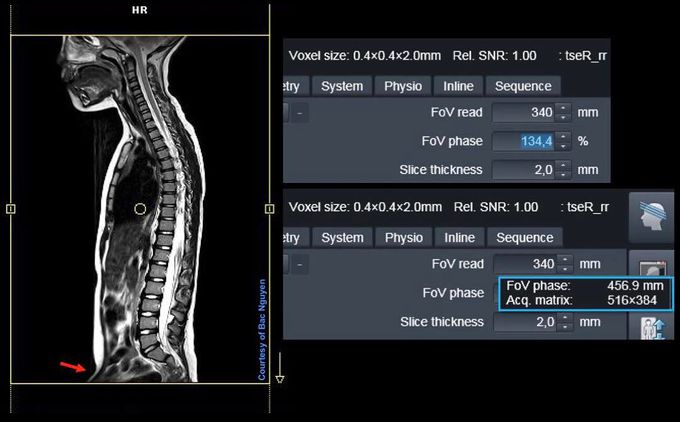
Tip of the day. Have you ever used this function? FoV PHASE over 100%? This is not available on older software, but on D and E it is (correct me if I’m wrong). What does this do exactly? From my self-learning and experience, I see the set FOV read and matrix are locked even though you use over 100% FoV PHASE…. Why is this needed/useful? We know that changing the FoV read will change your spatial resolution, voxel size changes (FoV read/matrix = voxel). In this example I had a fix FoV read of 340, with a matrix of 384 which gives me 0.88mm, interpolated to 0.4mm as seen there. So, I wanted to cover the whole spine without modifying the FoV read and matrix, without ruing my spatial resolution. I set now the Fov PHASE to 134.4%, which actually gives me a FoV read of 456.9mm. If put FoV read to 460, and use same matrix, well I will then have 460/384= 1.19mm voxel size. 1. changing the FoV PHASE add scan time and SNR. 2. from my experience, using this gives less distortion compared to set the FoV read of 460mm 3. hover the mouse over FoV read, and you get information regarding this.#Siemens_MRI #siemens #mri #optimising